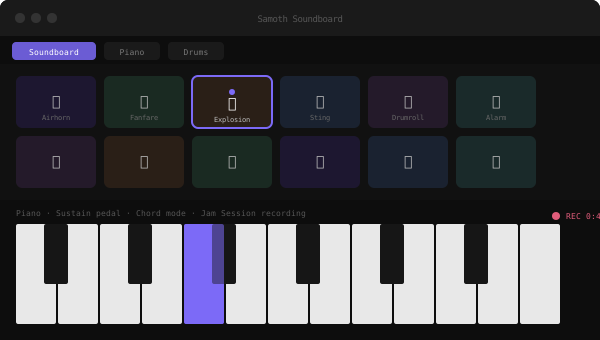
* Preview image is an illustrative mockup, not an actual screenshot.

A desktop soundboard app built with Electron and React. Part soundboard, part instrument, part jam session recorder. Trigger sound effects on the fly, play a realistic piano, build drum patterns in a step sequencer, and record everything you play into a single exportable file.
Features
- 24-slot soundboard with icons, colors, per-sound volume, and automatic loudness normalization
- Drag and drop audio import with a waveform preview and trim editor
- Hotkeys and macros to trigger sounds instantly
- Scenes: save and instantly switch between named soundboard layouts
- Realistic multi-octave piano you can play with keyboard or mouse
- Sustain pedal: hold Space for momentary sustain, or click the on-screen pedal to lock it on
- Chord mode and recording of your own piano playing
- Step sequencer with per-row volume, mute and solo, velocity and accents, swing, pattern copy and paste, and WAV export
- Drum pads for live triggering
- Jam Session recording: capture everything playing across the whole app at once and export it as a single WAV file
Requirements
- Windows 10/11 (64-bit)
- Portable build, just download and run
SamothSoundboard.exe, no installer needed
Patch notes
- v1.0.4: Fixed the new Wrong Answer and Correct! sounds not appearing on existing soundboards. Existing layouts now automatically pick up new built-in sounds in empty slots without ever touching your own custom sounds
- v1.0.3: Added a "Send to Discord" setup guide for routing the app's sounds (and your mic) into a Discord call without a hardware mixer, plus two new built-in sounds: Wrong Answer (buzzer) and Correct! (ding chime)
- v1.0.2: Fixed the Samoth Soundboard logo not showing up in the app's title bar in the packaged build (broken image path that only worked in development)
- v1.0.0: Initial release
Stack
Electron
React
Vite
Web Audio API